Beta

TrakLink, up and running in four steps.

Sign in, pick a license, download the app, paste your key. That's the whole setup.

TrakLink installs and updates itself. During the beta Windows may show a SmartScreen notice — choose More info → Run anyway.

TrakLink (beta) v0.9.1
  Welcome to TrakLink (beta)!
  Enter the license key you received (e.g. LNK-XXXX-XXXX).

  License key: LNK-7K3P-Q2MW
  Saved. Starting Links...

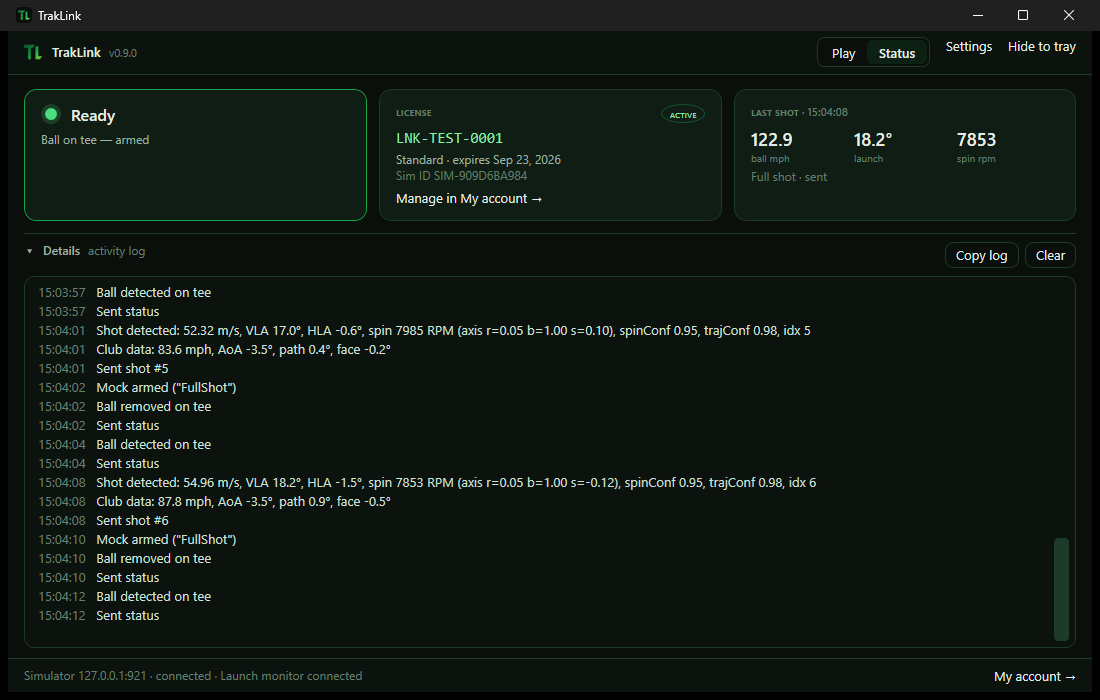
12:04:11 TrakLink starting
12:04:11 License check: sim SIM-4F2A, state Active (valid until 2027-08-18)
12:04:12 Connecting to simulator...
12:04:12 Connected — waiting for a shot
12:04:38 Ball detected on tee
12:04:41 Sent shot: 162.4 mph, launch 11.8°, spin 2740 rpm
12:04:41 Re-armed 

Get started

Sign in or create an account

Use Google or an email link at My account. Your licenses live there.

Choose a license

Annual or 2-year. A 14-day trial is coming soon. Your key appears in My account right after checkout.

Download TrakLink

Windows installer — one click, keeps itself updated.

Paste your key into TrakLink

On first run, TrakLink asks for the key (LNK-XXXX-XXXX). Paste it once and you're done.

Licenses

Annual
$249
per year · auto-renews · cancel anytime
Buy annual
Best value
2 Year
$449
one payment · covers 2 years
Buy 2-year
Coming soon
14-day trial
Free
full features · no card needed
Ask about a trial

Each license covers one simulator. Prices in USD. Manage licenses, renewals, and sims in My account.